Portable Bluetooth Speakers

YouTube, Snapchat, Gmail connection issues in eastern US now fixed


YouTube, Snapchat, Gmail connection issues in eastern US now fixed

If you had troubles with YouTube or Gmail on Sunday, those issues should now be fixed.

Google Cloud had been experiencing widespread problems Sunday, which wreaked havoc on YouTube, Snapchat, Gmail, Discord and a host of other popular apps and services across the eastern United States.

image

YouTube wasn't completely down for CNET's John Falcone in Brooklyn Sunday, but some videos were inaccessible, at least temporarily.

Screenshot by CNET

Google pointed to "high levels of network congestion in the eastern USA, affecting multiple services in Google Cloud, G Suite and YouTube."

"Users may see slow performance or intermittent errors," the company said in a statement around 2 p.m. PT. "We believe we have identified the root cause of the congestion and expect to return to normal service shortly."

Google's status page for Cloud confirmed the company was having issues with the service as of 1 p.m. PT. The search giant marked Google's Cloud Compute Engine and Cloud Networking services as suffering outages on its status dashboard.

At about 4 p.m. PT, the status page said the network congestion issue "is resolved for the vast majority of users, and we expect a full resolution in the near future."

As of 5 p.m. PT, the Google Cloud Status Dashboard shows all services available.

"The network congestion issue in eastern USA affecting Google Cloud, G Suite and YouTube has been resolved for all affected users as of 4:00pm US/Pacific," a Google spokesperson said late Sunday.

"We will conduct a post mortem and make appropriate improvements to our systems to prevent this from happening again."

YouTube seemed to be working on the West Coast, with CNET reporters able to access the video streaming site just fine. A CNET editor on the East Coast, however, noted that he was encountering issues. One video, for example, was inaccessible for about 15 minutes.

Google Cloud is the company's hosting platform, similar to Amazon's Amazon Web Services and Microsoft's Azure. In addition to powering its own services, other companies such as Snapchat and Uber, rely on Google's infrastructure to provide the backend for their apps and platforms.

News of the outage quickly spread across social media, with #YouTubeDOWN and #snapchatdown rising to the top of Twitter's Trending Topics section as users voiced their frustrations.

Other services that rely on Google Cloud for hosting also seemed to have experienced issues.

Downdetector.com, which monitors network issues, showed widespread issues for the East Coast of the US as well as in parts of Europe for YouTube and Gmail.

Originally published at 1:20 p.m. PT.
Updates, 2:25 p.m.: Adds comment from Google and background on Google Cloud; 4:30 p.m.: Adds that the congestion issue is resolved for most users; 5:50 p.m.: Adds comment from Google spokesperson.


Source

Tags:


Instant Pot takes on Keurig and Nespresso with Instant Pod coffee maker


Instant Pot takes on Keurig and Nespresso with Instant Pod coffee maker

Coffee pods are convenient, sure, but typically you have to choose between two brewing systems: You either go with Keurig or Nespresso, since the brewers are not compatible. The $119 Instant Pod is built to change that. This flexible coffee maker, created by the inventors of the Instant Pot multicooker, accepts both popular brands of coffee capsules. 

Instant Pod can make coffee drinks in multiple sizes, from big travel mugs down to tiny 2-ounce espresso shots. The Instant Pod also works fast, slinging individual cups of joe in little over a minute. Despite its strengths, this machine isn't for everyone. If you're a coffee snob like me, there's nothing the Instant Pod can do to elevate the coffee pod beyond its typically bland results. 

Compared to other coffee pod machines, the Instant Pod mostly works well enough, but I had two messy experiences with two different units. My first review sample made a mess of one coffee pod; the second one leaked water all over my kitchen table. I'm talking with Instant Pot to find out more, but so far I'm not sold on the quality control behind this machine.

instant-pod-keurig

The Instant Pod accepts Keurig K-Cup coffee pods.

Brian Bennett/CNET

Pick a pod

If you've used either a Keurig or an espresso coffee maker, operating the Instant Pod will feel familiar. Around the back of the machine is a large, removable water tank (68 ounces, or 2 liters). You'll find a handle on top of the brewer. You flip the handle upwards to open the machine's lid, and to access its coffee pod receptacles. 

instant-pod-nespresso

You can also brew Nespresso Original line coffee capsules in the Instant Pod.

Brian Bennett/CNET

The Instant Pod has two pod receptacles, one for K-Cups and another for Nespresso capsules. To brew a cup just drop the pod you'd like into its corresponding socket, then close the lid. Next select the serving size. Controls sit on top of the lid. The machine can brew in a total of six drink sizes: three for K-Cups (8, 10 and 12 ounces); and three for Nespresso capsules (2, 4 and 8 ounces).

instant-pod-coffee-mug

Brew coffee into standard mugs or large travel mugs.

Brian Bennett/CNET

There's a drip tray at the foot of the brewer. It also serves as a cup platform for coffee mugs. There's a small cup support above it that flips down and acts as a cup rest for espresso-size containers. 

Brewing cups with the Instant Pod is fast. Small 2-ounce shots of Nespresso espresso take 30 seconds. Larger 10-ounce K-Cup coffee cups require slightly more time, about 1 minute, 18 seconds. The coffee maker also warms up quickly from a cold start, ready to brew in seconds.

instant-pod-espresso

Drop in a Nespresso pod when you crave an espresso-style coffee drink.

Brian Bennett/CNET

Some technical difficulties

I ran into a few problems using the Instant Pod, one of them serious. On one occasion, a Caribou brand K-Cup malfunctioned. Coffee grounds escaped the pod, clogging the machine and landing inside my coffee mug. I haven't been able to duplicate the issue, even after running scores of K-Cups and Nespresso capsules through it. 

That said, apparently a few other people have run into similar problems. Comments on the Walmart page for the Instant Pod (where it's currently sold exclusively; it's only available in the US) indicate that some owners are getting grounds in their cups too. I asked Instant Brands about this. Company representatives said that since I only encountered it once, the issue I experienced is likely due to the individual coffee pod I used.

instant-pod-leaking

One of my Instant Pod test units suffered from water tank leakage.

Brian Bennett/CNET

To confirm whether I had a defective unit, Instant Brands sent a second machine my way. This brand-new replacement brewer was worse. I couldn't get past the initial cleaning (brewing) cycle. The minute I filled this Instant Pod's water tank, the appliance began to leak everywhere. 

instant-pod-leaking-2

I tried a few times but the second Instant Pod test unit always made a mess.

Brian Bennett/CNET

I tried to add water to the tank two more times, cleaning up in between, but suffered the same fate. I've reached out to Instant Brands for an explanation and am waiting for a response. Regardless, these experiences are troubling, especially considering that this is Instant Brands' first attempt at a coffee maker.

Should you buy it?

Whether you should buy the $119 Instant Pod depends on a few factors. First are the technical problems I encountered. Hopefully they're isolated snags, but if they indicate a broader manufacturing issue then you may want to pass up the Instant Pod entirely. 

That aside, If you love K-Cup coffee, but sometimes get a hankering for espresso-style drinks, then getting the Instant Pod is a no-brainer. Likewise, the Instant Pot makes a lot of sense if you live in a household with both Nespresso and Keurig fans. The Instant Pod definitely costs less than buying a Nespresso Original line machine plus a Keurig brewer.

To enjoy the best coffee you can drink though, pods are not the answer. For that you must grind freshly roasted beans right before brewing. And no matter the style of joe you prefer, make sure your coffee maker is up to the task.


Source

Tags:


'Space Treasure': Webb Snaps Its First-Ever Direct Image of an Exoplanet


'Space Treasure': Webb Snaps Its First-Ever Direct Image of an Exoplanet

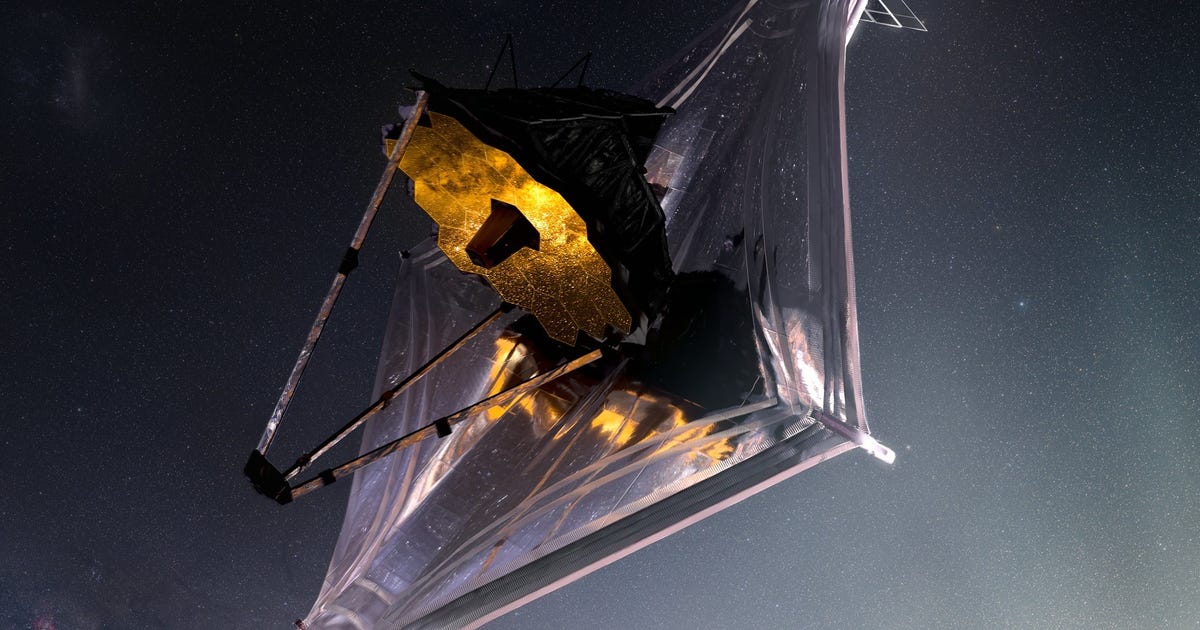
Hello, HIP 65426 b! That jumble of letters and numbers belongs to an exoplanet (a planet outside our solar system) that has the honor of being the subject of the James Webb Space Telescope's first direct image of a distant world.

"This is a transformative moment, not only for Webb but also for astronomy generally," said astronomer Sasha Hinkley of the University of Exeter. Hinkley led an international team of researchers who worked on the landmark exoplanet observation.    

Before we lose our minds over this, a couple of caveats. Exoplanets have been directly imaged before by other telescopes, and the research highlighted in NASA's Thursday announcement hasn't yet been through the peer-review process, where other scientists scrutinize the information. OK, now you can shout, "Cool!"

This graphic shows star HIP 65426 at the top with the inset images showing exoplanet HIP 65426 b in different bands of infrared light, as seen by the James Webb Space Telescope.

NASA/ESA/CSA, A Carter (UCSC), the ERS 1386 team, and A. Pagan (STScI)

JWST sees in infrared, which gives it the ability to peer far and deep into the universe and spot elusive objects that other telescopes wouldn't be able to capture. The image release highlights how HIP 65426 b looks in four different bands of infrared light. 

"Obtaining this image felt like digging for space treasure," said postdoctoral researcher Aarynn Carter of the University of California, Santa Cruz. Carter led the image analysis. Webb is able to mask starlight in order to block out a star's glare and capture images like this of elusive exoplanets. It helps that HIP 65426 b orbits its host star at a distance 100 times farther than the Earth from the sun, making it a little easier to mask the light.

You'll notice a tiny white star in each of the four planet images. That marks the location of the host star, which has been hidden from view.

The planet was already known to exist, thanks to the work of a telescope in Chile that discovered it in 2017. "Webb's view, at longer infrared wavelengths, reveals new details that ground-based telescopes would not be able to detect because of the intrinsic infrared glow of Earth's atmosphere," said NASA.

The exoplanet is a youngster, just 15 million to 20 million years old. Here on Earth, we're living on a 4.5-billion-year-old planet. HIP 65426 b is a gas giant, measuring in at six to 12 times the mass of Jupiter. The researchers should be able to dial in its mass more accurately as they work through the data.  

The team is in process on a research paper that'll head through the peer-review process of a journal before publication. The early results, however, are already worth celebrating.

Webb, which launched in late 2021 and went through a lengthy deployment process, has already provided a diverse bouquet of images and observations, ranging from glorious nebulas to spotting carbon dioxide in an exoplanet's atmosphere. The views of HIP 65426 b might look like glowing blobs, but they're just the beginning, a harbinger of the knockout science to come.


Source

Tags:


Audi Dives Into New Territory With Formula 1 Announcement


Audi Dives Into New Territory With Formula 1 Announcement

The complex heat-based recuperation system (MGU-H, for the F1 nerds out there) will be ditched in favor of a larger, more powerful regenerative braking system, which will feed energy into a battery that will power a motor nearly as powerful as the internal-combustion engine to which it's mated.     


Source

Tags:


iOS 16 Could Bring Always-on Lock Screen to Future iPhones, Report Says


iOS 16 Could Bring Always-on Lock Screen to Future iPhones, Report Says

Apple is expected to show off iOS 16 at its annual WWDC developer confab starting Friday. Among the new features coming to the next version of Apple's mobile operating system are major enhancements to the iPhone lock screen, according to a report Sunday from Bloomberg. 

iOS 16 will include an always-on mode for the lock screen, though this feature may be exclusive to the higher-end iPhone 14 Pro and iPhone 14 Pro Max, according to Bloomberg. The lock screen will also reportedly get new "wallpapers that have widget-like capabilities."

Messages could also get more social network-like features in iOS 16, according to Bloomberg, and the Health app may get additional features on the iPhone and Apple Watch. 

Apple didn't immediately respond to a request for comment. 

In addition to iOS 16, Apple is expected to show off updates to its iPadOS 16, WatchOS 9 and TVOS 16 software at WWDC. The company may also announce new hardware, with some rumors pointing to a newly remade Mac Pro performance-focused desktop. 

Apple could also debut a new MacBook Air with M2 chip at WWDC, according to Bloomberg. However, it's possible that device's launch could be delayed due to supply chain constraints. 


Source

Tags:


3 Netflix Parental Control Features Beyond the Kids Profile


3 Netflix Parental Control Features Beyond the Kids Profile

The best streaming services for kids offer plenty of great videos, TV shows and movies, but a lot of it is also targeted toward older viewers. Disney Plus is veering into mature content territory and beefing up parental controls, YouTube has new ways for parents to restrict what teens and tweens can watch, and most streaming services have profiles made for specifically for kids. Setting up a profile for your child on Netflix is a great place to start, but the platform has plenty of other settings parents might not know about.

Under the Netflix Kids Experience, your child's profile is tagged with a special logo that ensures only age-appropriate shows and movies are displayed. But what if your family knows how to outsmart the kiddie system to watch whatever they want? While you can enable the parental controls on your devices when it comes to streaming, Netflix has several tools available to help you manage what they see and do. 

how-to-tech-tips-logo-badge.png

Assign maturity levels

While activating the Netflix Kids experience is the most obvious choice to ensure your child is watching age-appropriate content, that profile comes with curated titles selected for the 12-and-under crowd. Everything in the kids' profile automatically has a rating no higher than PG. But you can manually adjust those maturity ratings for each individual profile.

On your web browser, open your Netflix account page and head to the Profile & Parental Controls section. Select your child's profile and click change under Viewing Restrictions. You'll be prompted to enter your Netflix account password before being taken to a screen where you can edit the maturity ratings.

Choose a ratings level up to NC-17. Click Save. Note that if you want to include content that's rated above PG (including PG-13 and TV-14), the kids' profile badge will be removed for that user. On the flip side, here is where you can check the box to designate it as a kids profile. The maturity rating will be lowered. A bonus? These settings also apply to Netflix's games. 

If you run into an issue with trying to convert a kids profile into one with a higher maturity rating, you may need to delete it and create a new profile.

Block specific TV shows and movies

Did you know you can block certain titles on individual profiles? Whether your child has a kids' profile or a regular one, parents are able to suppress specific titles. You'll follow the same steps above and navigate to your account page, choose your kiddo's profile and launch the Viewing Restrictions section.

Scroll down to where you see Title Restrictions for… and fill in the box with the TV show or film you want to block. Would you rather your 13-year-old not watch Bridgerton, Project X or Big Mouth? Add it to the list and the title will appear in red. Click "Save." The blocked content will not appear in your child's profile.

Should you change your mind when they get older, you can go back in and hit "X" to remove the blocked title from the list.

Lock down your profiles with a PIN

With multiple family members sharing one Netflix account, some crafty kids know how to buck your censorship system. Rather than stick to the rules, they'll skate on over to someone else's profile to watch what they want. By locking all the profiles with a PIN, you can prevent that and stay a step ahead.

Head to your account page from a web browser and scroll to the Profile & Parental Controls settings. Click change on Profile Lock, where you'll be asked to enter your account password. Check the box where it says, "Require a PIN to access XYZ's profile." Enter a four-digit PIN.

If you're the chief Netflix accountholder, you also have the option to check the box indicating that a PIN is required to add new profiles. Click "Save."

Once you set up a profile PIN, you'll have to enter it each time you open your profile on Netflix. But this feature can be used for all the profiles on the account regardless of age. In some cases, certain unsupported devices will not ask for the PIN to unlock a profile; however, it's required to watch content within the profile. 


Source

Tags:


Apple's iPhone 14 Line Is Rumored to Have a Higher Starting Price Than the iPhone 13


Apple's iPhone 14 Line Is Rumored to Have a Higher Starting Price Than the iPhone 13

This story is part of Focal Point iPhone 2022, CNET's collection of news, tips and advice around Apple's most popular product.

Apple's "Far Out" launch event is scheduled for next Wednesday, Sept. 7. This means that the iPhone 14's arrival is likely just days away. But with a slew of upgrades expected to come alongside the new iPhone, how much will it cost? 

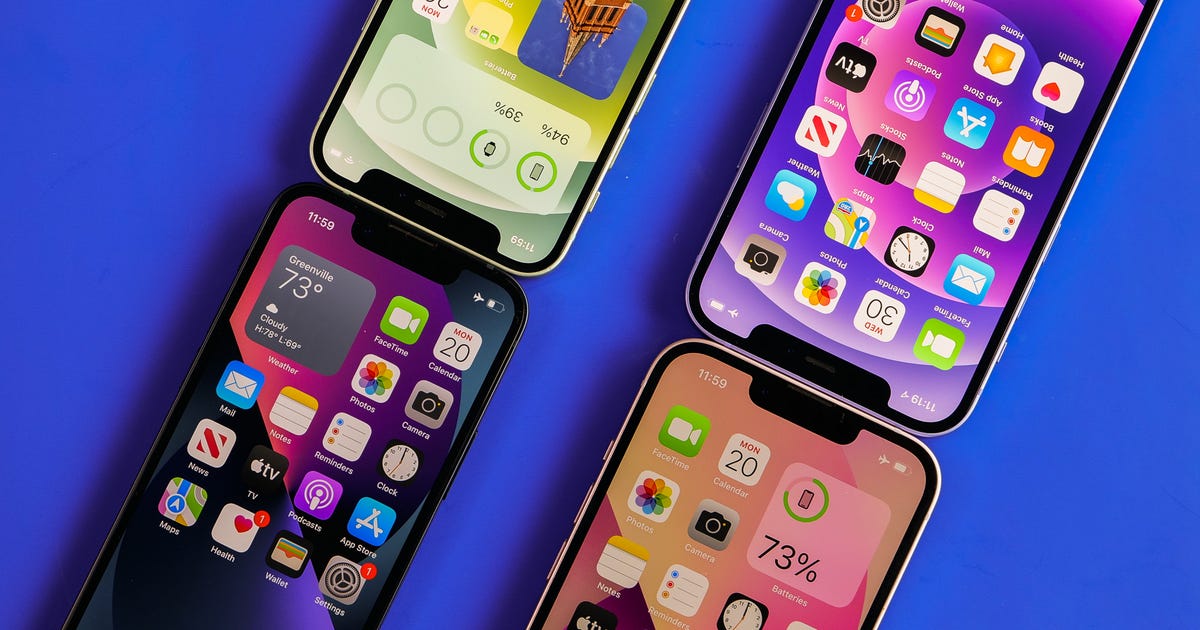
The successor to the 2021 iPhone 13 is expected to sport a notchless display, a 48-megapixel camera on the high-end models and a new 6.7-inch iPhone 14 Max option, if the leaks and rumors are to be believed.

All of this may come at a price increase to the tune of $100, according to a prediction from Wedbush analyst Dan Ives, as reported on Ped30. This is in line with forecasts previously shared by analysts with The Sun, which suggested that Apple's entire supply chain is seeing price increases. Apple didn't respond to a request for comment.

Apple didn't make any price changes between the iPhone 12 and iPhone 13, but those two generations of iPhones are also fairly similar. It's reasonable to think that bigger upgrades could come with higher prices. But Apple may keep the price the same to remain competitive with Android devices like the Samsung Galaxy S22 and Google's Pixel 6 line.

Apple usually releases its new iPhones in September shortly after unveiling them, although some new size options have launched later than usual in years past. Apple supplier Foxconn is said to have gone on a hiring spree to prepare for the launch, according to the South China Morning Post. 

Read more: The iPhone's Future Could Depend on These Breakthrough Technologies

There hasn't been any official word iPhone 14's price yet, and Apple never provides public information about its future products before it announces them. That means the only clue we have is the iPhone 13's pricing structure, shown below. 

Apple iPhone 13 US pricing


128GB 256GB 512GB 1TB
iPhone 13 Mini $699 $799 $999 N/A
iPhone 13 $799 $899 $1,099 N/A
iPhone 13 Pro $999 $1,099 $1,299 $1,499
iPhone 13 Pro Max $1,099 $1,199 $1,399 $1,599

Apple maintained a similar pricing structure for the iPhone in 2020 and 2021, so there's a chance it might continue to do so in 2022. However, rumors that Apple could scrap the iPhone Mini and replace it with another cheaper version of the 6.7-inch iPhone complicates things a bit. That's according to reports from analyst Ming-Chi Kuo (via 9to5Mac) and Nikkei Asian Review.

That new addition to the lineup is said to be a larger version of the iPhone 14, likely to be called the iPhone 14 Max. If Apple keeps the same $800 price for the standard iPhone, it seems reasonable that the iPhone 14 Max could cost $900. That would put it right in between the $1,000 iPhone 14 Pro and $1,100 iPhone 14 Pro Max, assuming the iPhone 14 is priced similarly to the iPhone 13.

Read more: It Might Finally Be Time for Foldable Phones

But reliable analyst Ming-Chi Kuo predicts that this so-called iPhone 14 Max will cost less than $900, according to 9to5Mac, suggesting Apple might change up its pricing strategy. Apple has reshuffled its pricing before to stay competitive: 2019's iPhone 11 was notable for its $699 starting price that undercut the previous year's iPhone XR by $50.

Here's what the iPhone 14's pricing could look like across models based on the iPhone 13's price structure. 

Apple iPhone 14 rumored US pricing (based on iPhone 13)


128GB 256GB 512GB 1TB
iPhone 14 $799 $899 $1,099 N/A
iPhone 14 Max $899 $999 $1,199 N/A
iPhone 14 Pro $999 $1,099 $1,299 $1,499
iPhone 14 Pro Max $1,099 $1,199 $1,399 $1,599

For more, check out all the iPhone 14 rumors we've heard so far, including design changes and release date. You can also take a look at CNET's iPhone 14 wish list


Source

Tags:

Search This Blog

Menu Halaman Statis

close